Sections
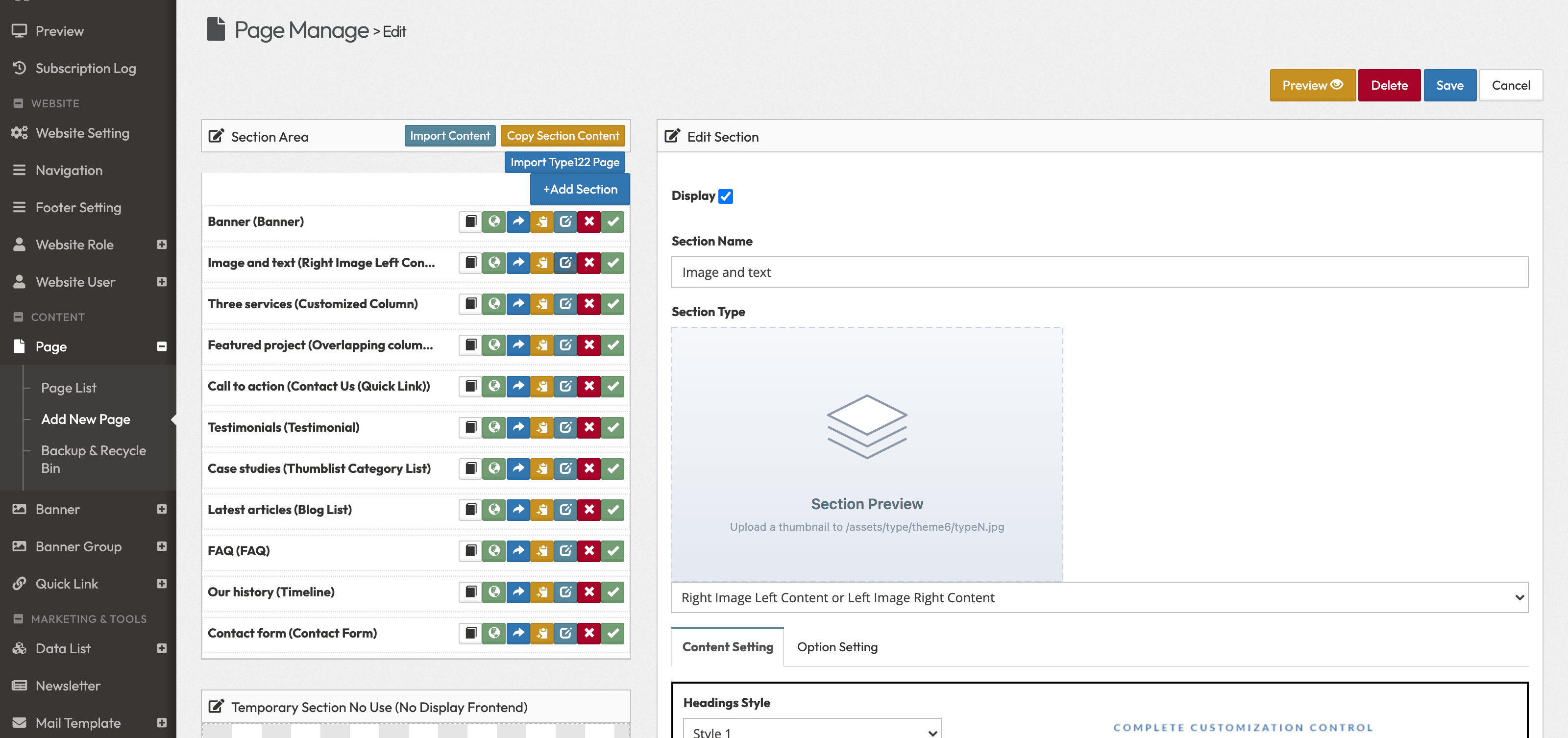
Every page of your website is a stack of sections: a banner, a picture with text, three columns, a contact form and so on. You add, fill in, arrange and remove sections on the page's edit screen, in Page › Page List. The left half of the screen, Section Area, lists the page's sections from top to bottom; the right half, Edit Section, shows the settings of the section you are working on.
Which section types you can choose depends on your website's design: company websites (Lite and Corporate) have one list, online shops (Ecommerce) another. Each list has its own reference page below.